
CubeRun
In my projects, I mainly focus on coding with C++, it’s better for optimization of the game, like calculations (math) and physics.I used Blueprints to create and use UI Widgets.
So, with this project the idea was to create a simple runner game where you have to survive avoiding obstacles as long as you can and try to beat your previous score.
I already moved on from this project, this is the last version of it that you can download.
Jump into specific part:
- Player Cube
- Cube’s Creation
- Moving and Jumping
- Overlaps
- Boosters and Trampolines
- Death and Restart
- Level Generator
- Main Menu
- Widgets
Player Cube
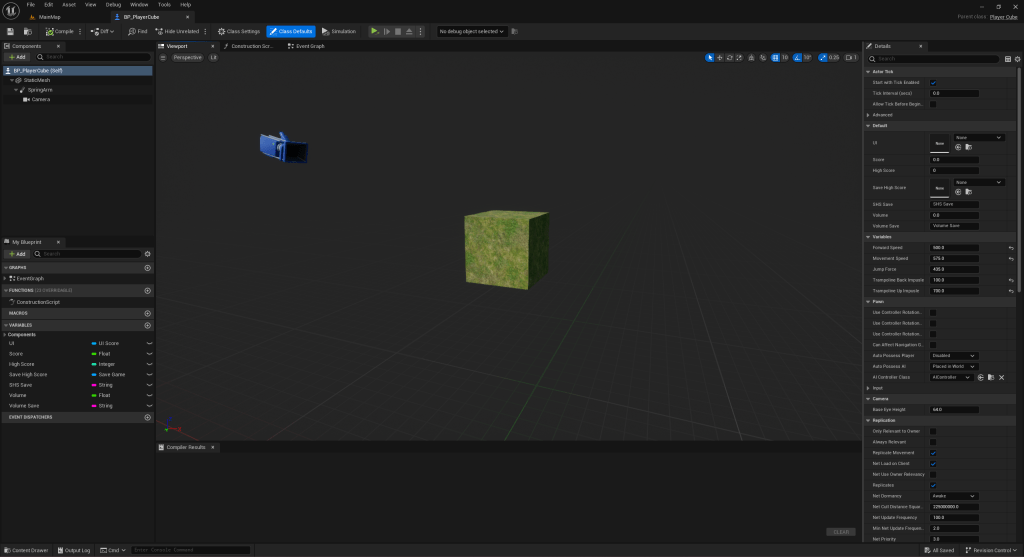
This is the blueprint of player’s pawn.
Parental class is Player Cube class (which inherits Pawn class).
Camera is static, floating behind.
There are a lot of variables that I used to create save games and UI.
Cube’s Creation
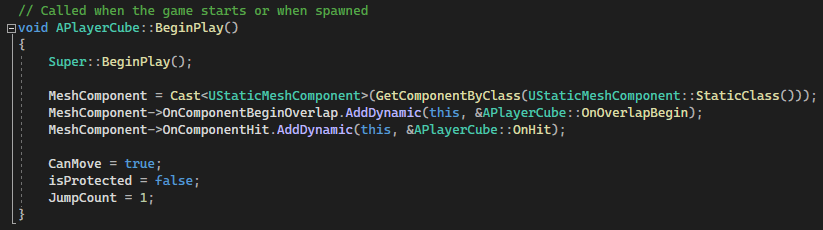
The creation of a player’s cube is pretty simple, it’s a cube after all.
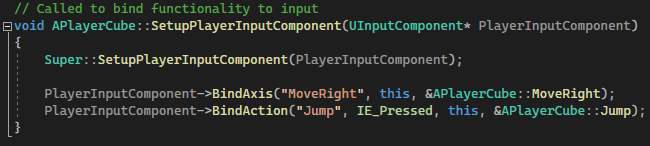
As an Input system I used to regular Unreal Engine’s Input Mapping, not enhanced one.
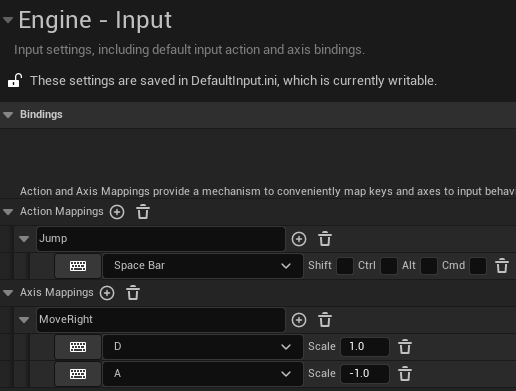
Moving and Jumping
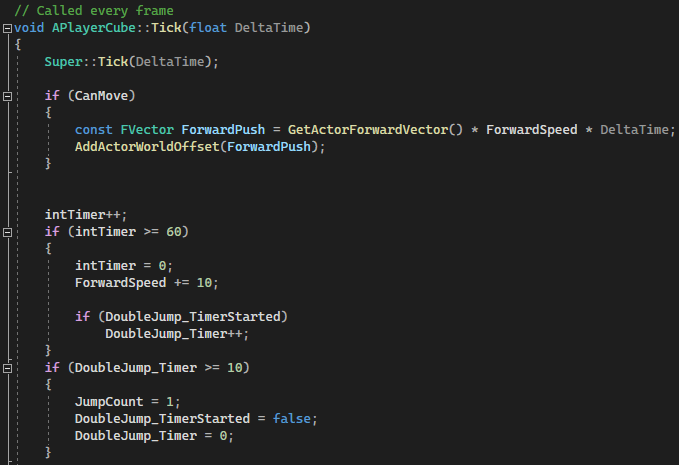
Since it’s a runner game player’s cube is getting pushed forward all the time. The strength with which he is pushed forward also increases over time by 10 per second (if your computer can run 60 frames per second).

Player can only move left and right on a platform. Since it’s a Pawn class I used just AddActorWorldOffset to move player’s cube object.
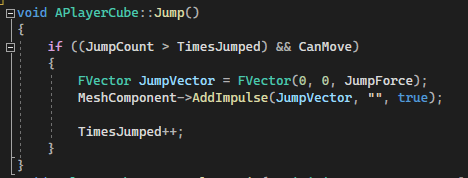
Jumping is created in the way that by default you can jump only once, but you can pick up power-ups that going to let you jump more times for a limited amount of time.

And also OnHit function of the Player’s cube, to let player jump again, after it hits the floor (Normal Z).
Overlaps
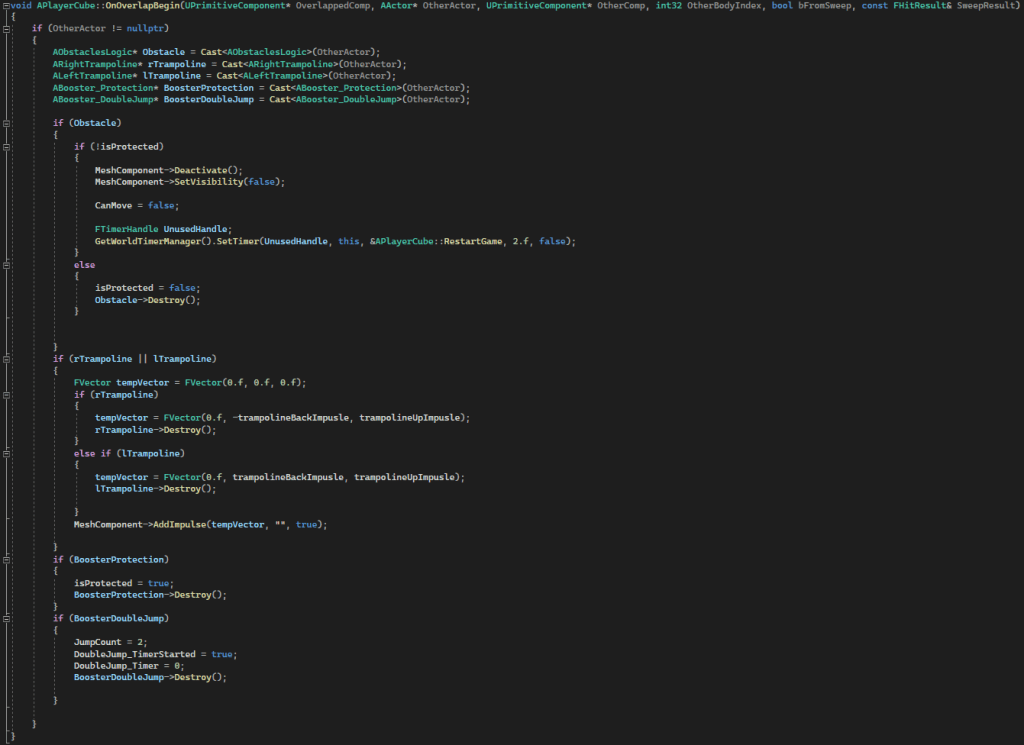
In the game I track overlaps with obstacles (to declare death), trampolines and boosters.
Boosters and Trampolines
In the image above there are two different boosters (power-ups) you can pick up:
- Protection – protects player from dying once.
- Double Jump – allows player to jump twice without touching the ground.
Additionally, there are trampolines. Which is basically a way for player to Double Jump using only the environment. They push player back to the track and also push him up, to create some sort of a double jump.
Death and Restart
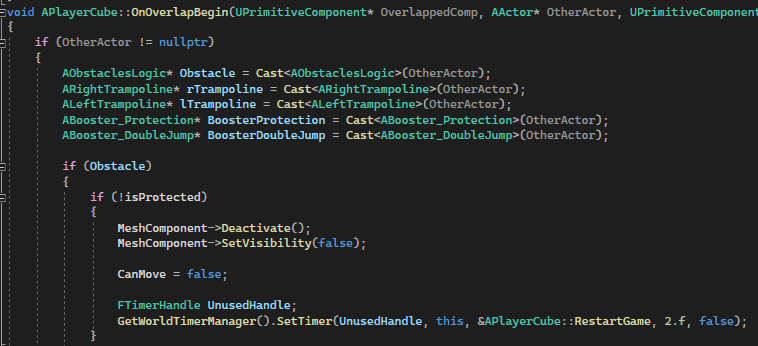

To end the game player has to either fall under Z -30 or overlap an obstacle without Protection power-up. Then it will trigger restart game function.

Level Generator
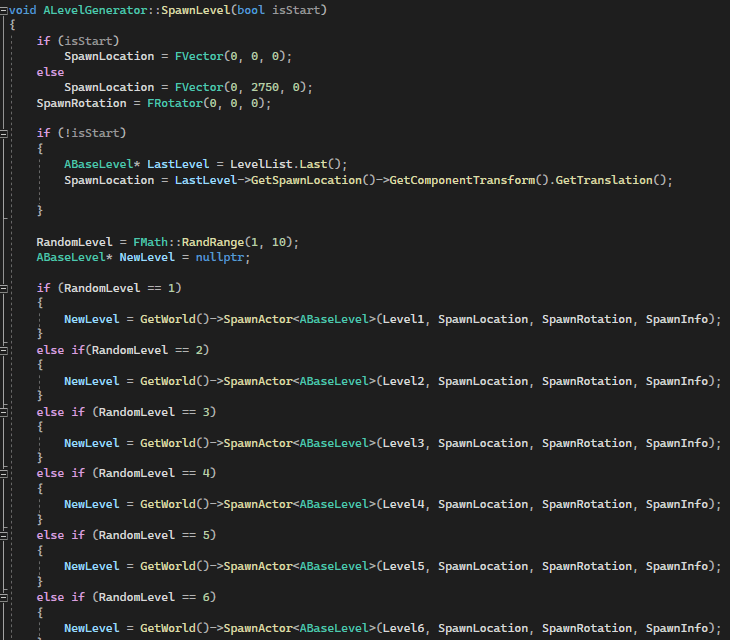

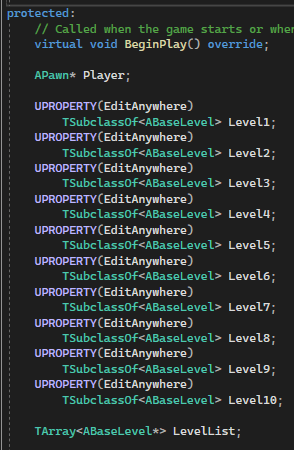
Since it’s an infinite game I decided to generate levels on a go. So, I have premade level blueprints and it randomly chooses which one to spawn from the premade ones.
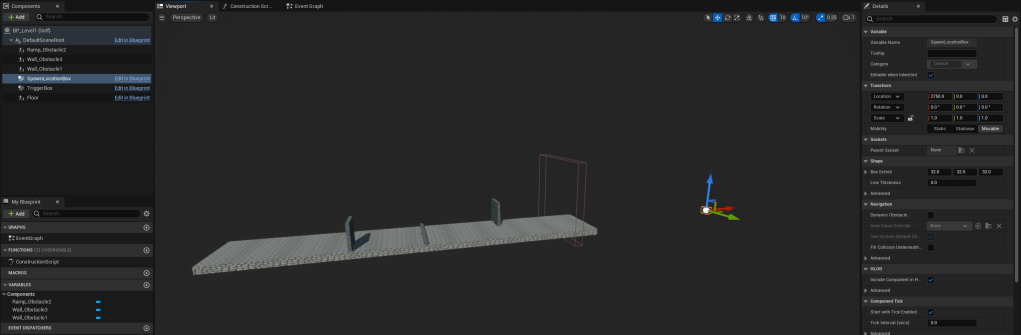

Each Blueprint has a TriggerBox to create a new platform, destroy the old one and a SpawnLocation of the new platform. Boosters / Trampolines are on some of them, also predefined positions.
Main Menu
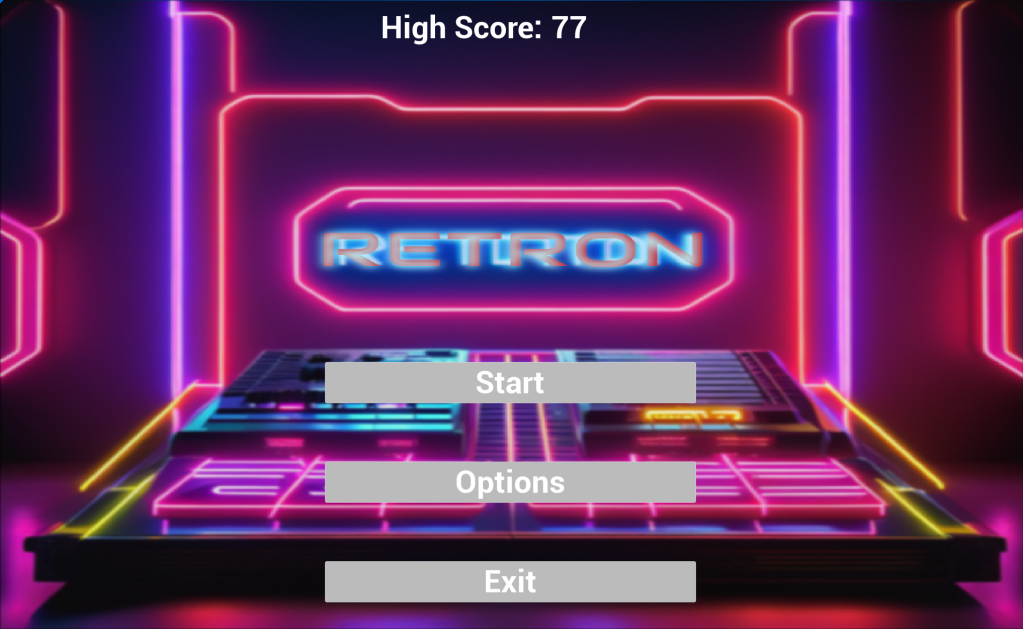

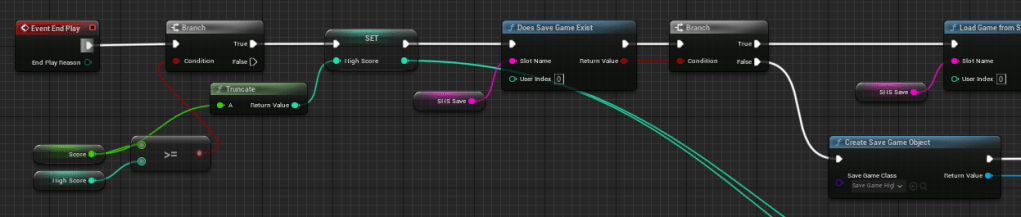
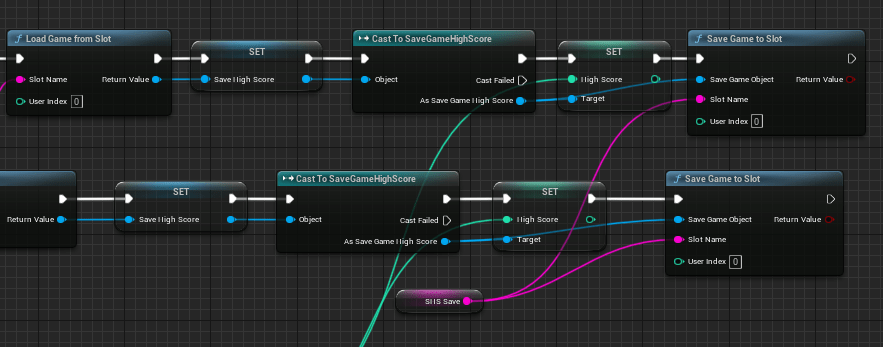
This is the main menu of the game. It uses a few save game features, for the high score and in options menu – screen resolution, volume, etc.
Widgets


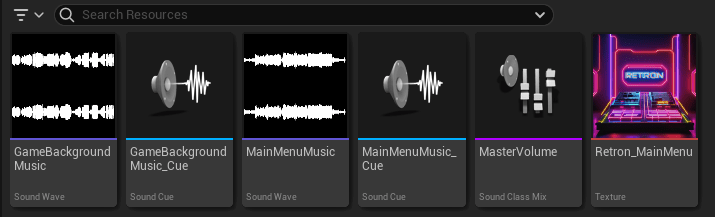
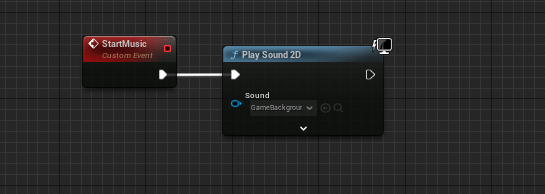
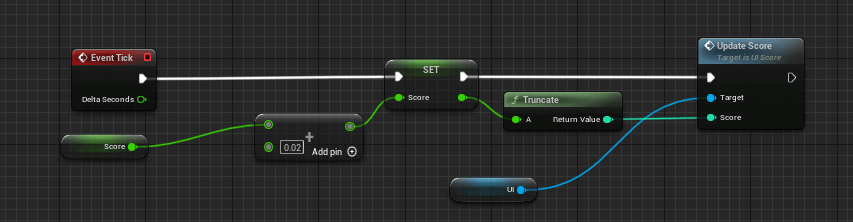
Here is the set up of starting the game, adding widgets to the viewport, loading game and starting music.
 Ask Ones Interactive Entertainment