In my projects, I mainly focus on coding with C++, it’s better for optimization of the game, like calculations (math) and physics.I used Blueprints to create and use UI Widgets.
So, with this project the idea was to create a game where you have to survive as long as you can, fighting monsters, earning points, and beating your previous score.
Unfortunately, having a Full-Time job doesn’t help me continue my progress, therefore I will showcase only what is done so far, the work on the project continues, updates are coming soon…
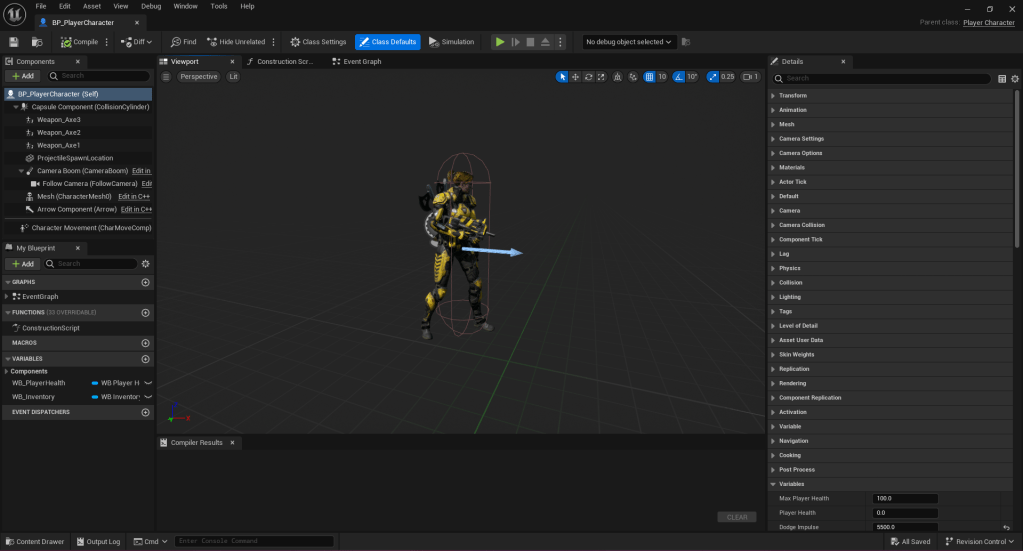
For the model I used Epic Games’ asset called LtBellica.
This is the blueprint of player’s character. Parental class is Player Character class (which inherits Character class).
Axes are shown during the game only when player have any. If not they are hidden.
ProjectileSpawnLocation is an invisible component which serves as a spawn location reference for player’s projectiles.
Character Creation
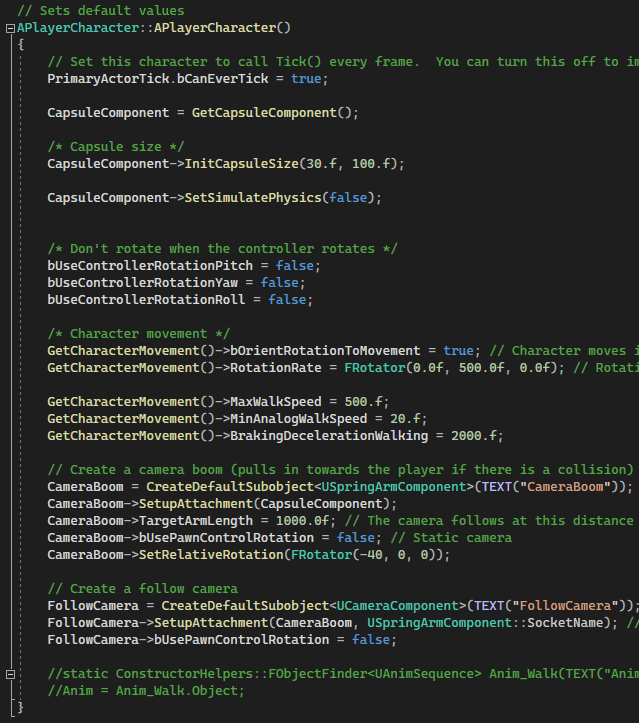
PlayerCharacter.cpp
In the initialization of the PlayerCharacter.cpp I make references of variables, change some default values for moving and rotating. Also I set up everything for camera, just to be able to control it through code as well.
We all know that .cpp files require .h files as well, so here is everything that is related to the creation of the character.
PlayerCharacter.h
Enhanced Input
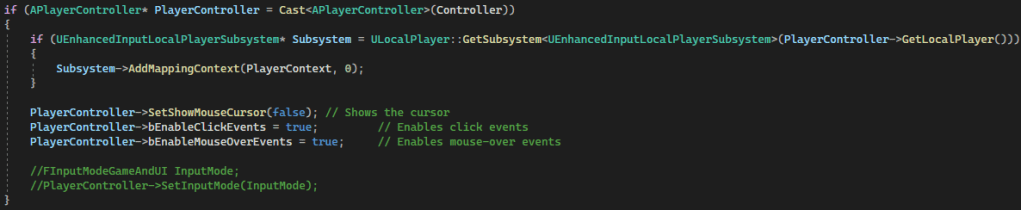
PlayerCharacter.cpp
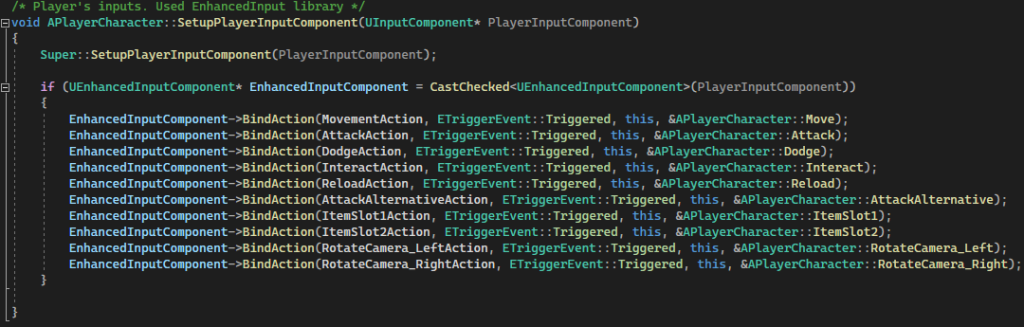
Enhanced Input makes everyone happy to work with reading inputs, so I am using it in my projects as well. Here is a bit of implementation of it.
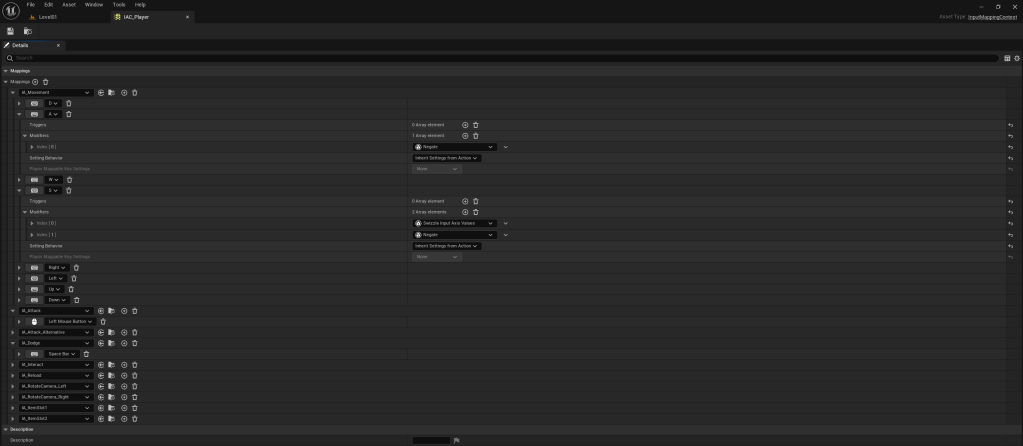
And here is a screenshot of InputMappingContext and how everything is set up.
IAC – Input Action Context
Moving and Looking
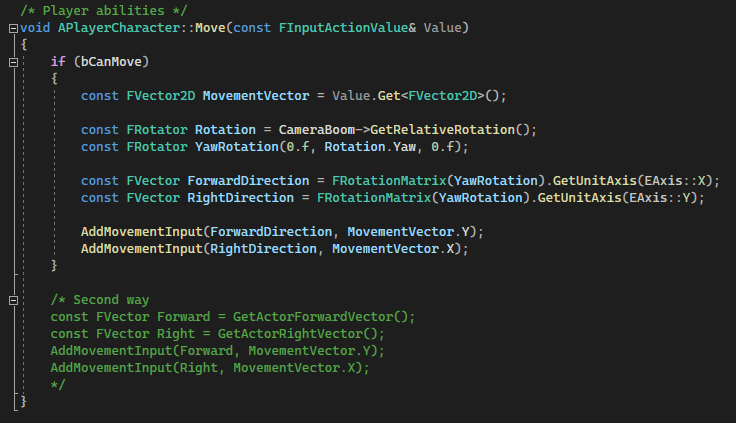
PlayerCharacter.cpp – Moving
Since it’s a top-down view game, I used camera’s rotation and player’s position to move the player.
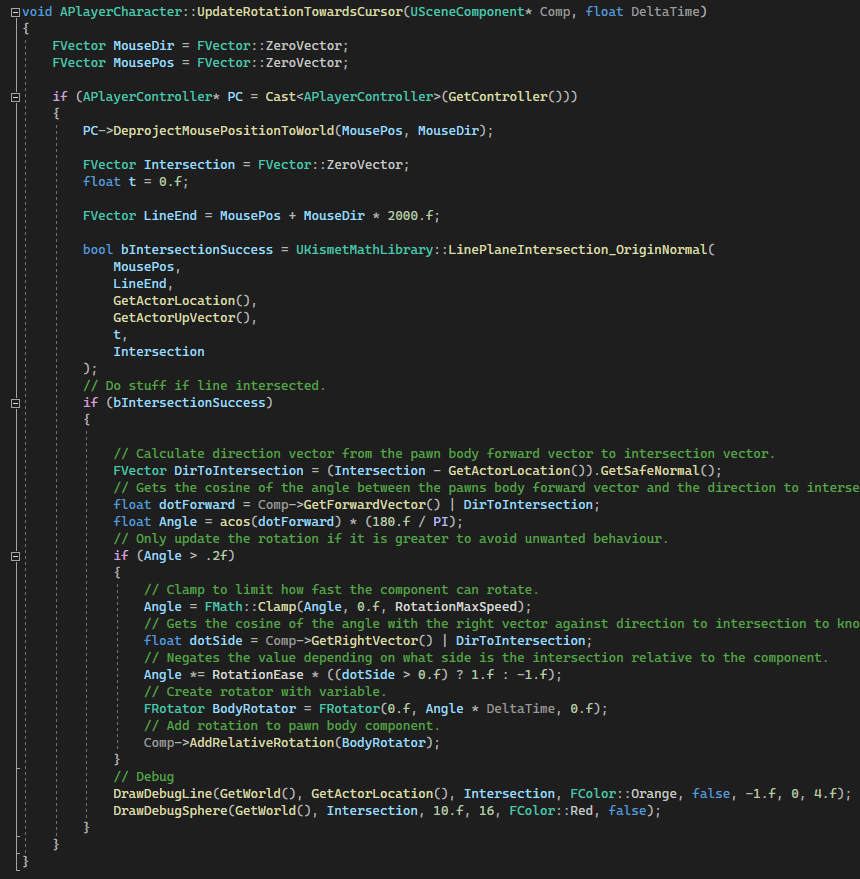
And I had to make the character to look in the direction of a mouse. The biggest problem for me was to correctly Clamp/Lerp the rotation of a character. So, basically here I get the line on which mouse from the player and rotate him step-by-step to that direction.
PlayerCharacter.cpp – Looking
This way player will always look towards mouse cursor. At end I also draw that line to a cursor.
Weapons
PlayerCharacter.h
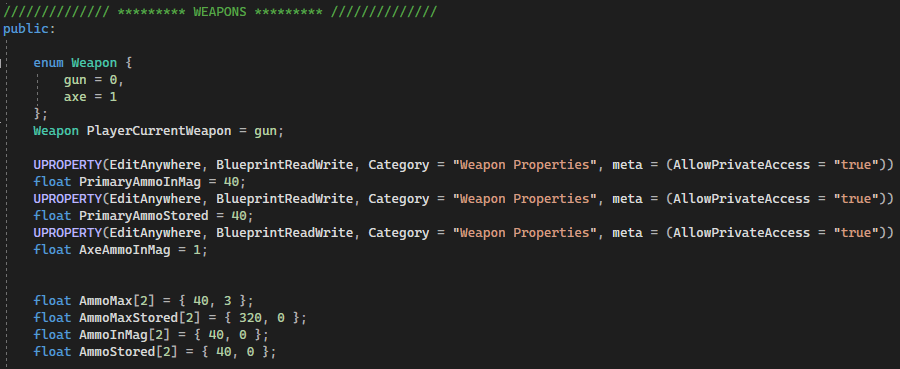
I created two different types of weapons – one that shoots bullets and the other one that throws itself (kind of).There is an ammo limit for each weapon (40/320 for gun, 3/0 for axe).
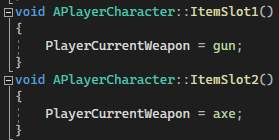
Player can switch between them with inputs (“1” and “2”).
PlayerCharacter.cpp
Actions
PlayerCharacter.cpp – Attack
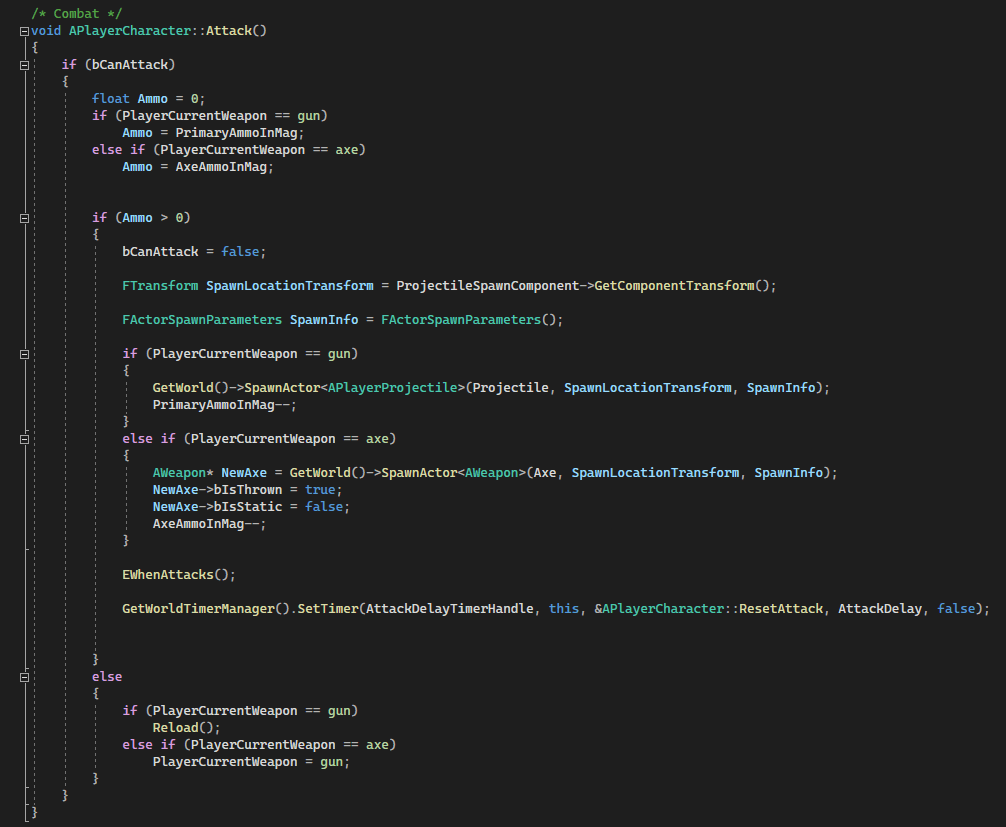
Attack – depends on a weapon that is equipped player will attack periodically, there is a timer (delay) between attacks player can make, which is called AttackDelayTimerHandle.
PlayerCharacter.cpp – Dodge
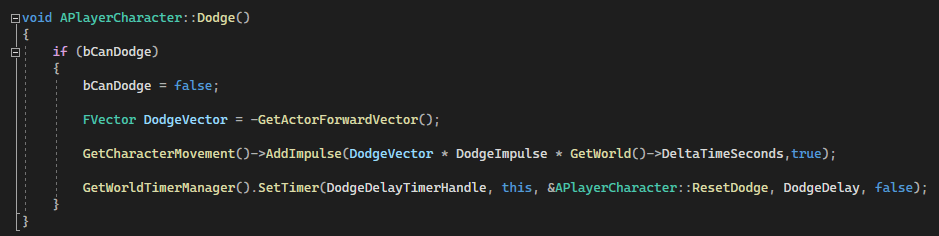
Dodge – Player can dodge, he will be pushed backwards from the direction he was looking at.
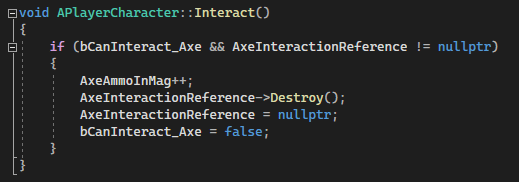
PlayerCharacter.cpp – Interact
Interact – Player can pick up floating axes and use them in battle. In order to pick it up he is supposed to be inside of a collision box.
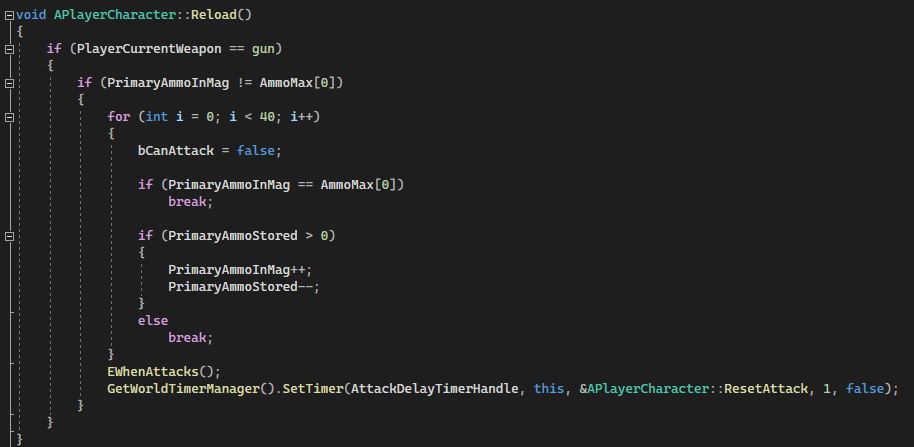
PlayerCharacter.cpp – Reload
Reload – Reloading a gun depending on a weapon (can’t reload axes). Also sets a timer before player can shoot after/during reloading.
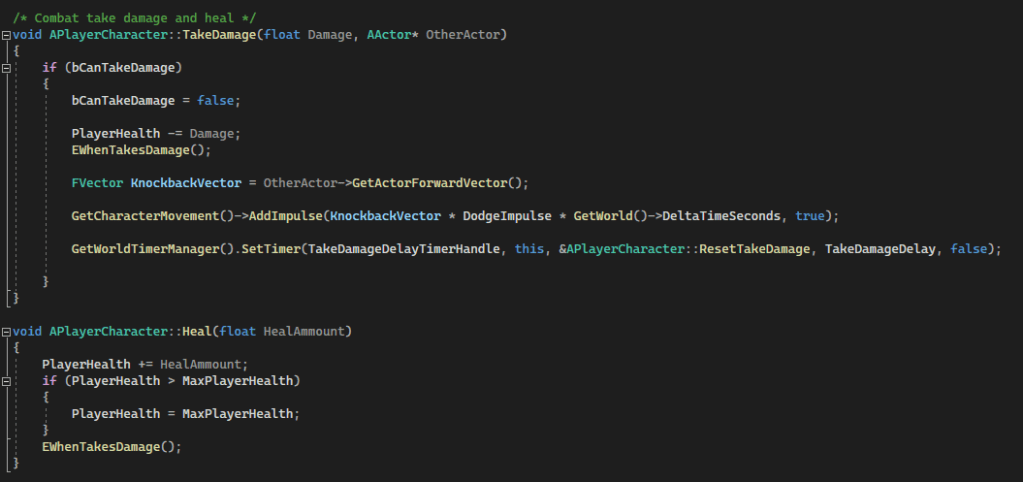
PlayerCharacter.cpp – Take Damage and Heal
Take Damage and Heal – increasing/decreasing player’s HPs, also with a knockback effect after taking damage. Timer/Delay of immortality after taking damage.
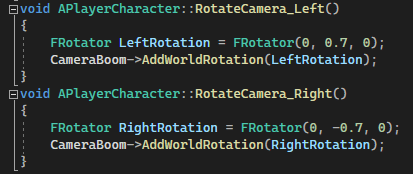
PlayerCharacter.cpp – Rotate Camera
Rotate Camera – Player can rotate their top-down view camera whenever they want by pressing “Q” and “E”. P.S. That’s why Interact button is “F”
Interact Widget
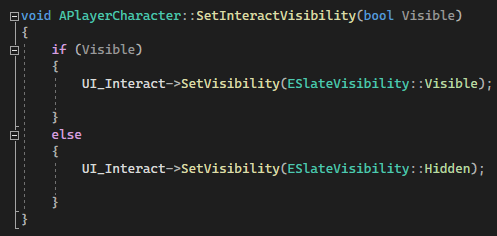
PlayerCharacter.cpp – Interact Visibility
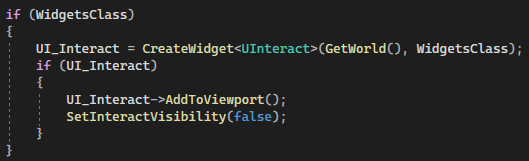
I made and used widget through C++ to show “Press “F” to interact” on player’s screen every time he overlaps axe’s collision box.
Overlaps
PlayerCharacter.cpp – OnOverlapBegin
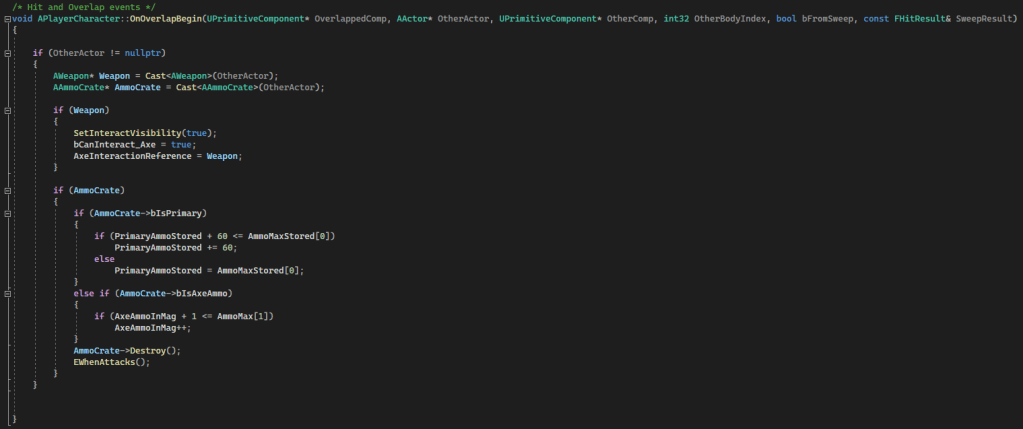
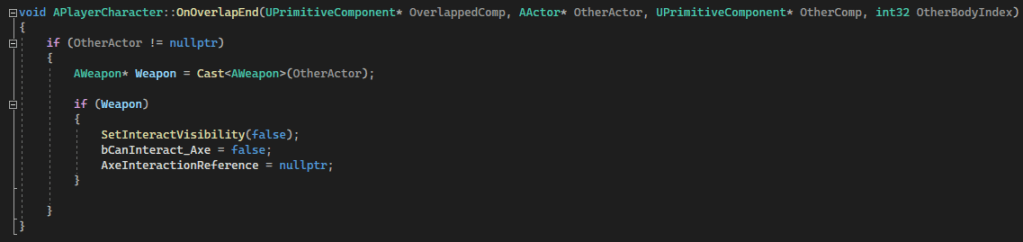
Turning on and off the visibility of Interact Widget and possibility to pick up axes and ammo crates. bIsPrimary – gun ammo crate, bIsAxeAmmo – axe.
PlayerCharacter.cpp – OnOverlapEnd
Timers
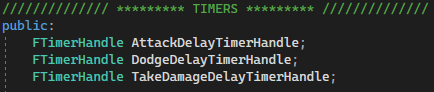
PlayerCharacter.h – Timers
I used different timers to create delays for actions such as taking damage, dodging, attacking, etc.
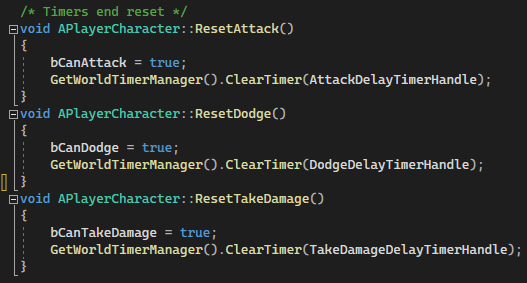
After each use I clear that timer and resetting booleans back to True.
PlayerCharacter.cpp – Timers
Game Over and Game Restart
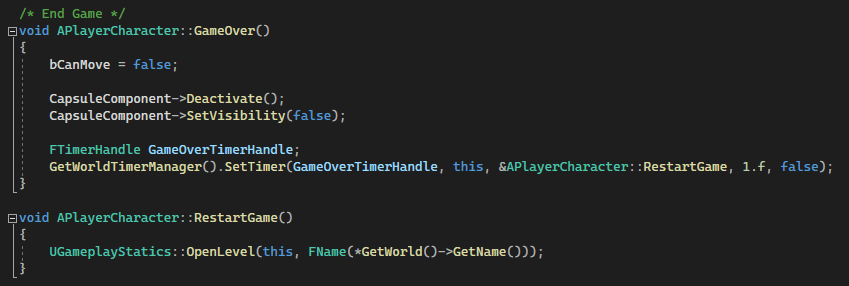
PlayerCharacter.cpp – Game Over & Game Restart
Pretty simple algorithm to end the game and restart it after the GameOverTimerHandle finishes.
C++ & Blueprints
PlayerCharacter Blueprint
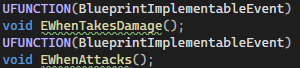
I found very useful to be able to connect C++ code with Blueprint scripting. The way I implemented it is through UFUNCTION Blueprint Implementable Event.
It creates an event reference in blueprint that you can call from C++ code. Very useful.
PlayerCharacter.h – C++ & Blueprints
Player’s Blueprints
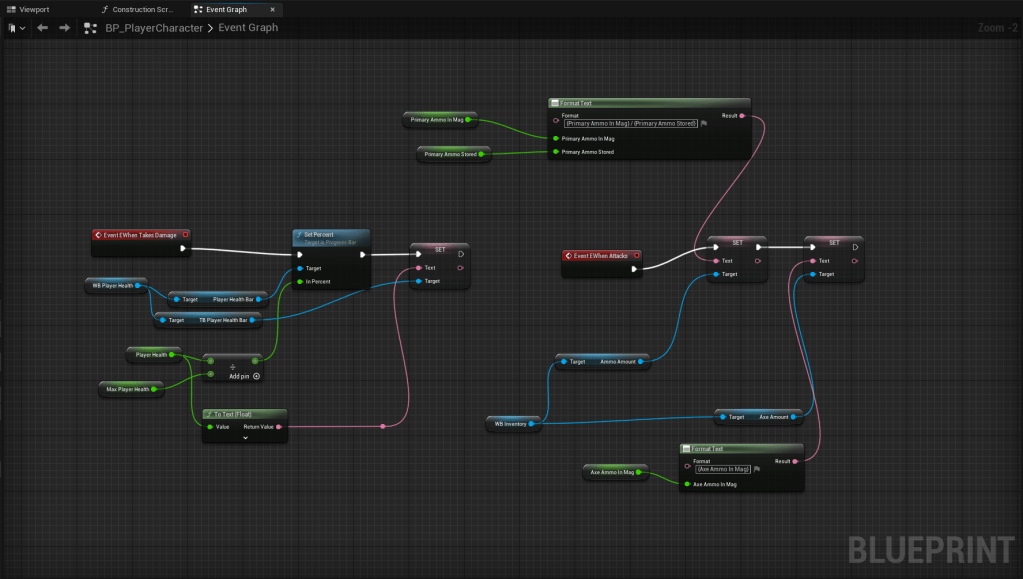
Primaraly I used Blueprint Scripting for Widgets and to save games. So here is PlayerCharacter Blueprint which creates Player’s UI:
PlayerCharacter Blueprint
Turrets
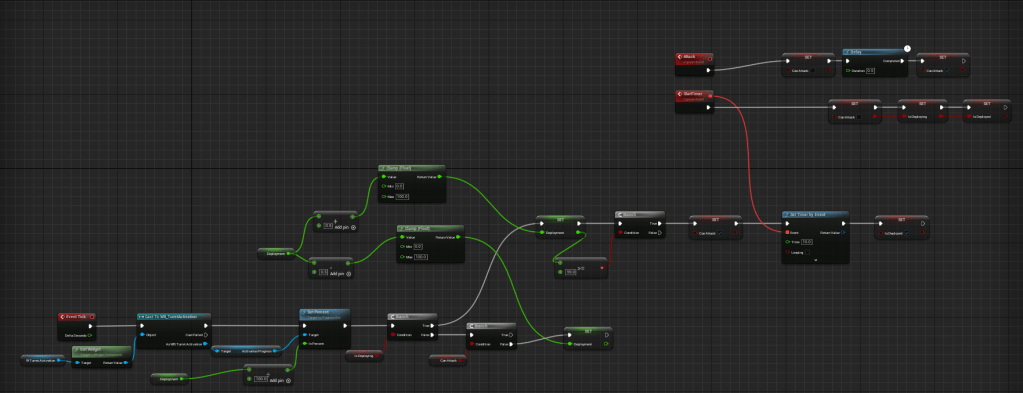
I also added activation turrets to the game. The idea was to put some objects like turrets on the map, player can get in a close proximity, hold an interact button or just stay still in the collision box to activate that turret for a specific amount of time. That turret will shoot every enemy it will see. This time I tried to use blueprint scripting:
Turret Blueprint
I used PawnSensing component to detect other pawn and cast it to an enemy class, if successfully – attack it.
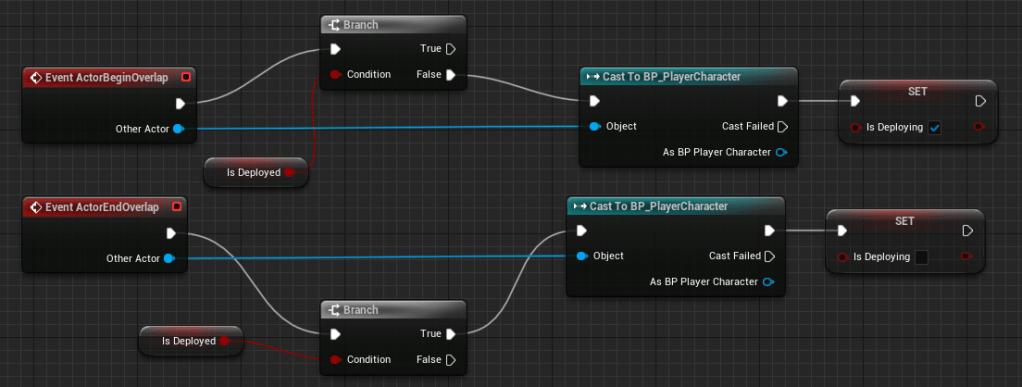
Activation I made through standing in a certain radius to deploy that turret.
Turret Blueprint
Turret Blueprint
But eventually I understood that I made deploying of turret overcomplicated, so I’m planning on redoing it completely.
Enemies
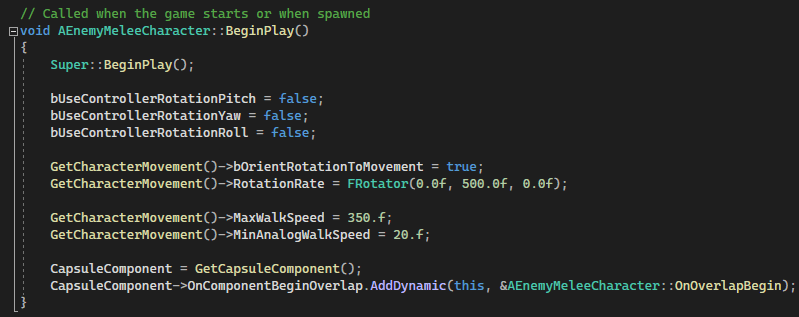
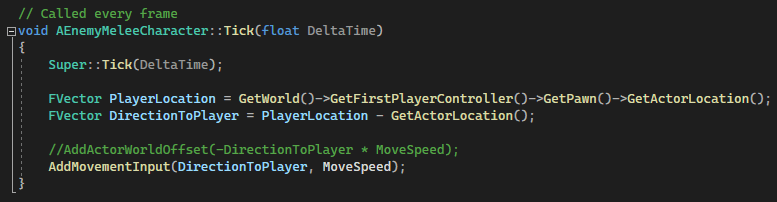
I created pretty simple enemies. Defined their movement speed and rotation rate in the BeginPlay, in Tick always reading player’s world location and receiving one forward vector direction to the player. Moves along this direction constantly.
EnemyMeleeCharacter.cppEnemyMeleeCharacter.cpp
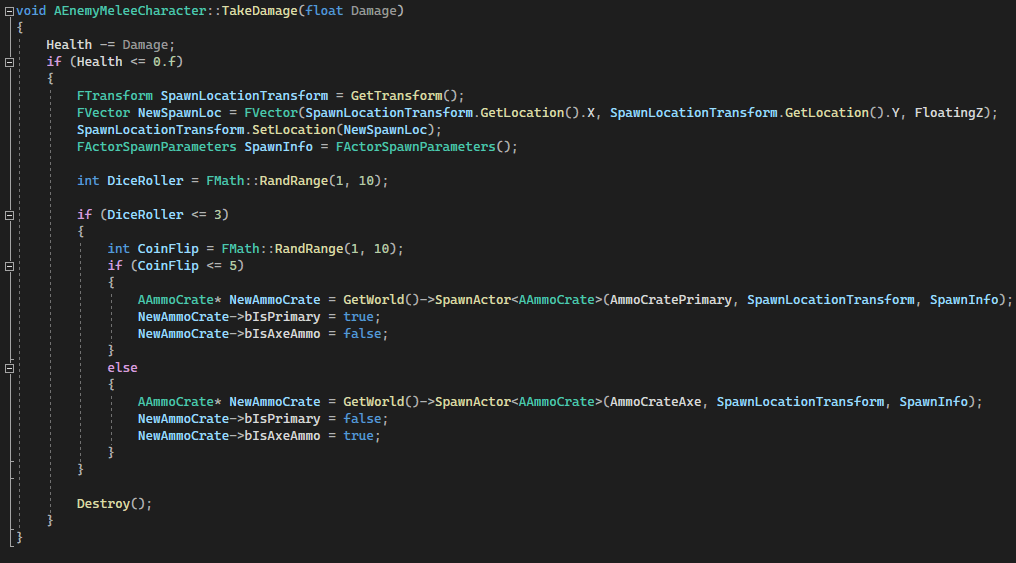
Whenever player’s projectile overlaps enemies, projectile’s code will see the overlap with a specific enemy and will call TakeDamage(float Damage) function in enemy’s code, so this is kind of implementation of OOP in C++. If enemy’s health <= 0 then enemy will die, and with 33% chance will drop ammo. If it procs then a coinflip (50/50) will decide is it gonna be a gun ammo crate on an axe crate.
EnemyMeleeCharacter.cpp
If enemy overlaps player, then it will trigger PlayerCharacter’s take damage function, causing him to get hit. Also it sends it’s own damage deal (the amount of damage this particular enemy type deal) and position, so the player will be knocked back from an enemy.







 Ask Ones Interactive Entertainment